1
Upload the bank statement PDF
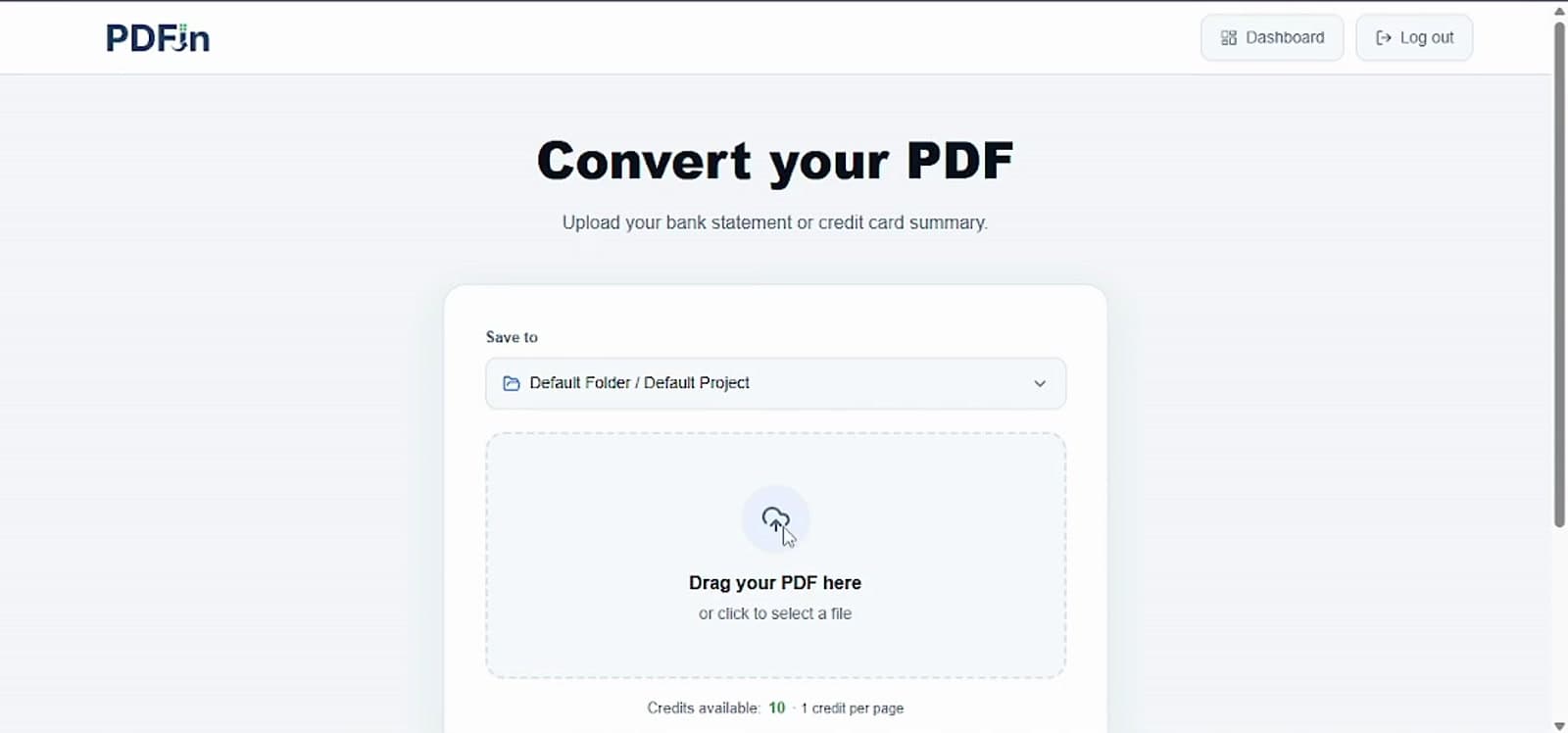
Start from the conversion screen and choose the bank statement file you want to process.
Bank statement PDF to Excel
Upload a bank statement PDF, review extracted transactions, and export a clean Excel workbook with transaction and summary sheets.
See the full flow
Watch the bank statement workflow: upload the PDF, select pages, review extracted transactions, confirm reconciliation, and export the result.
Start from the conversion screen and choose the bank statement file you want to process.
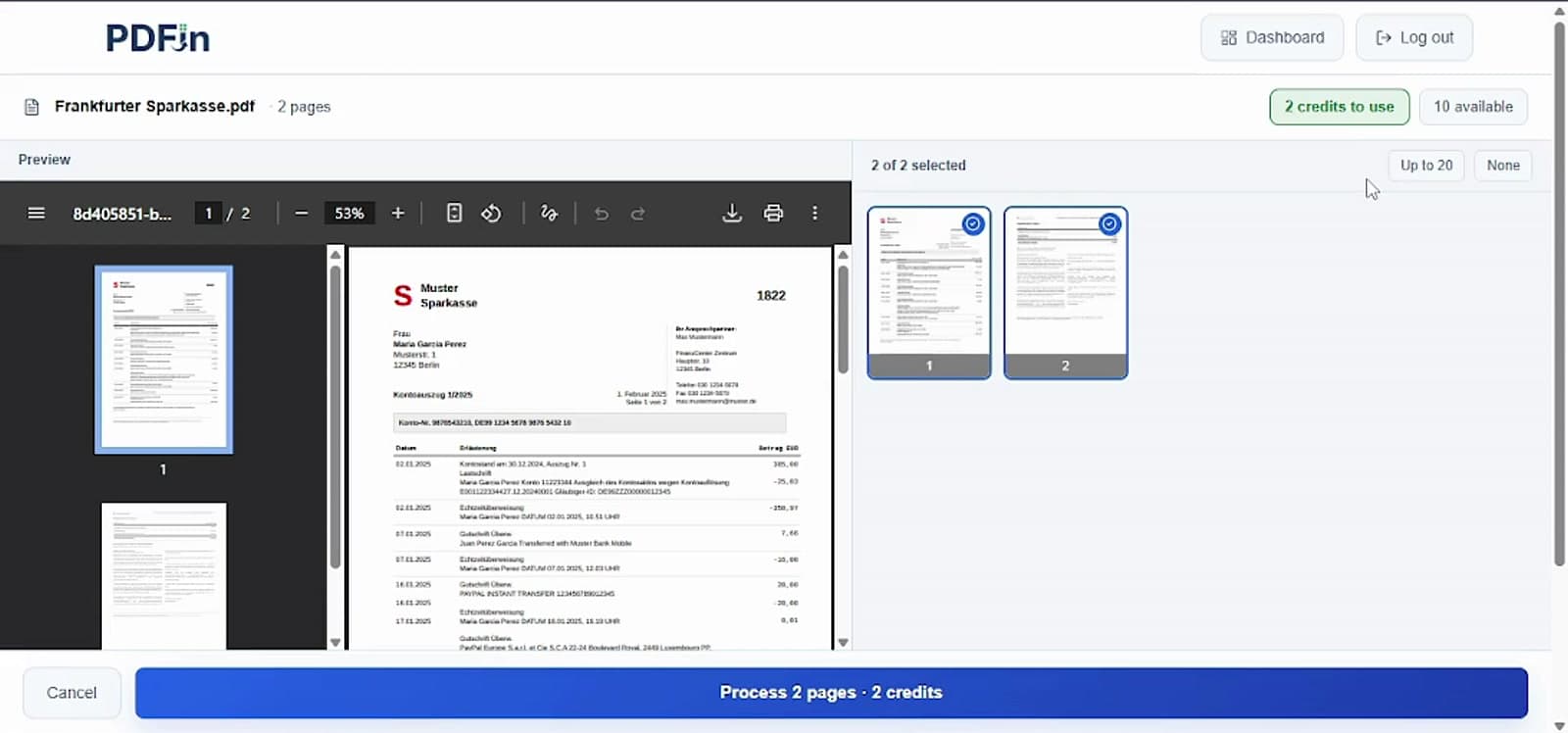
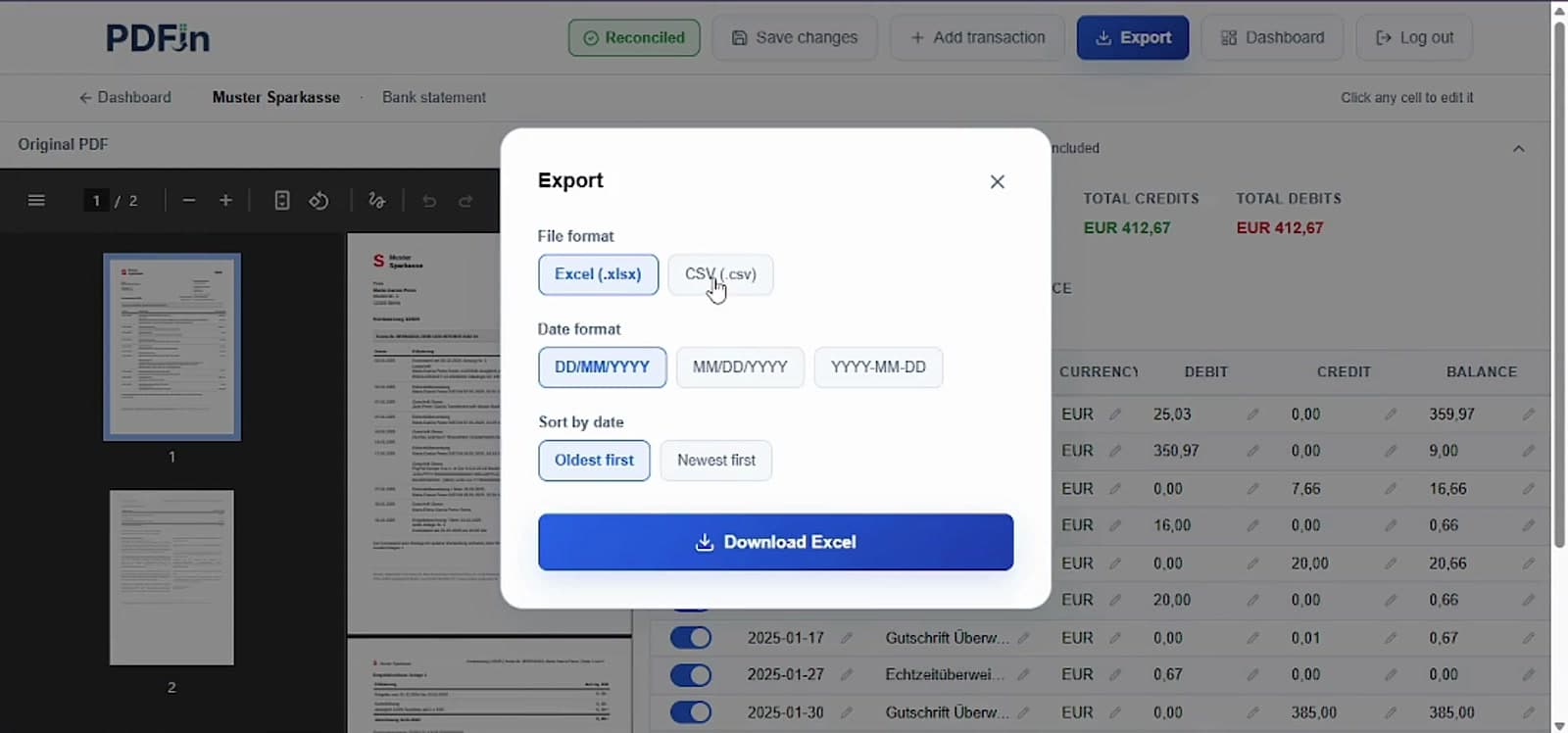
PDFin shows a preview of the statement pages so you can process only the relevant bank statement pages.
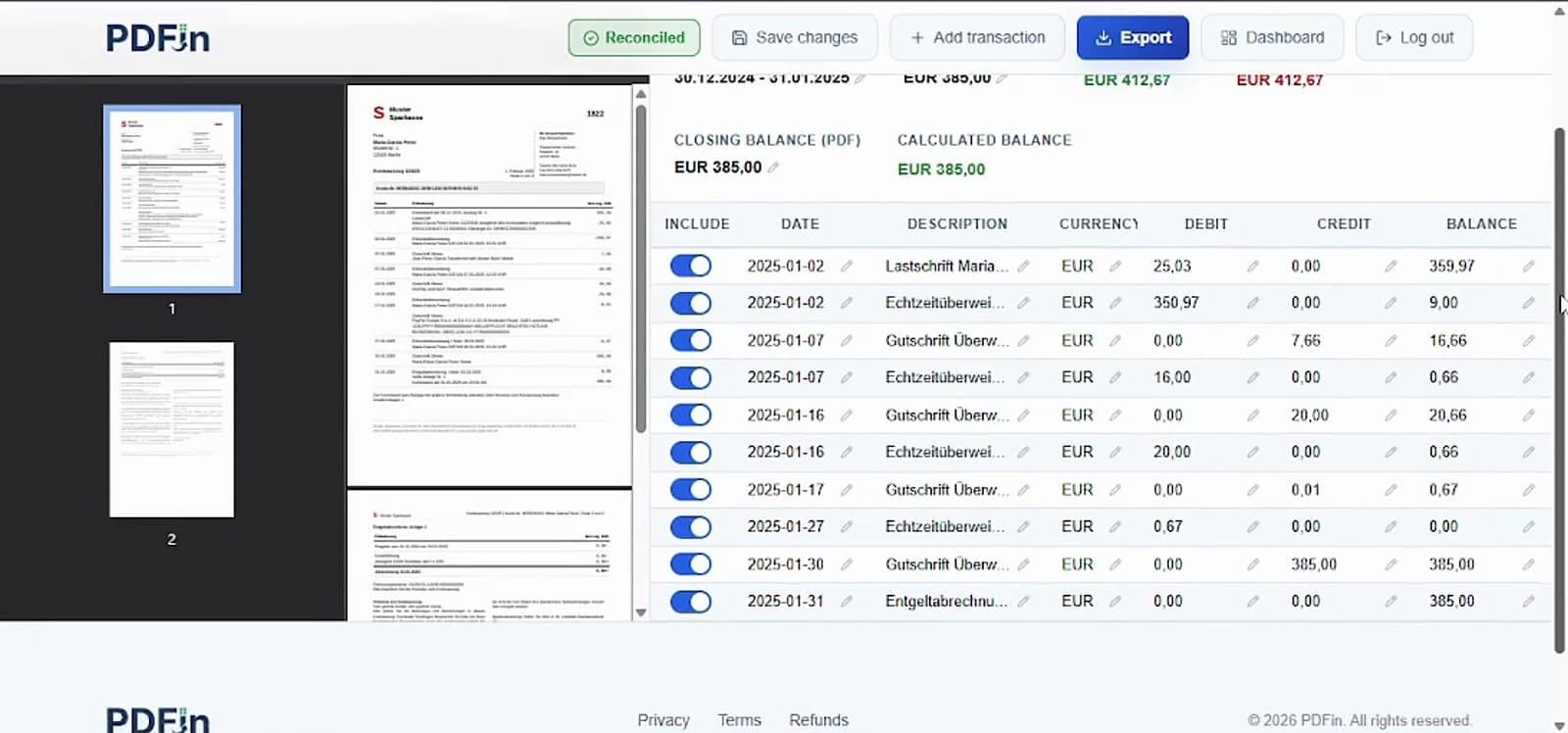
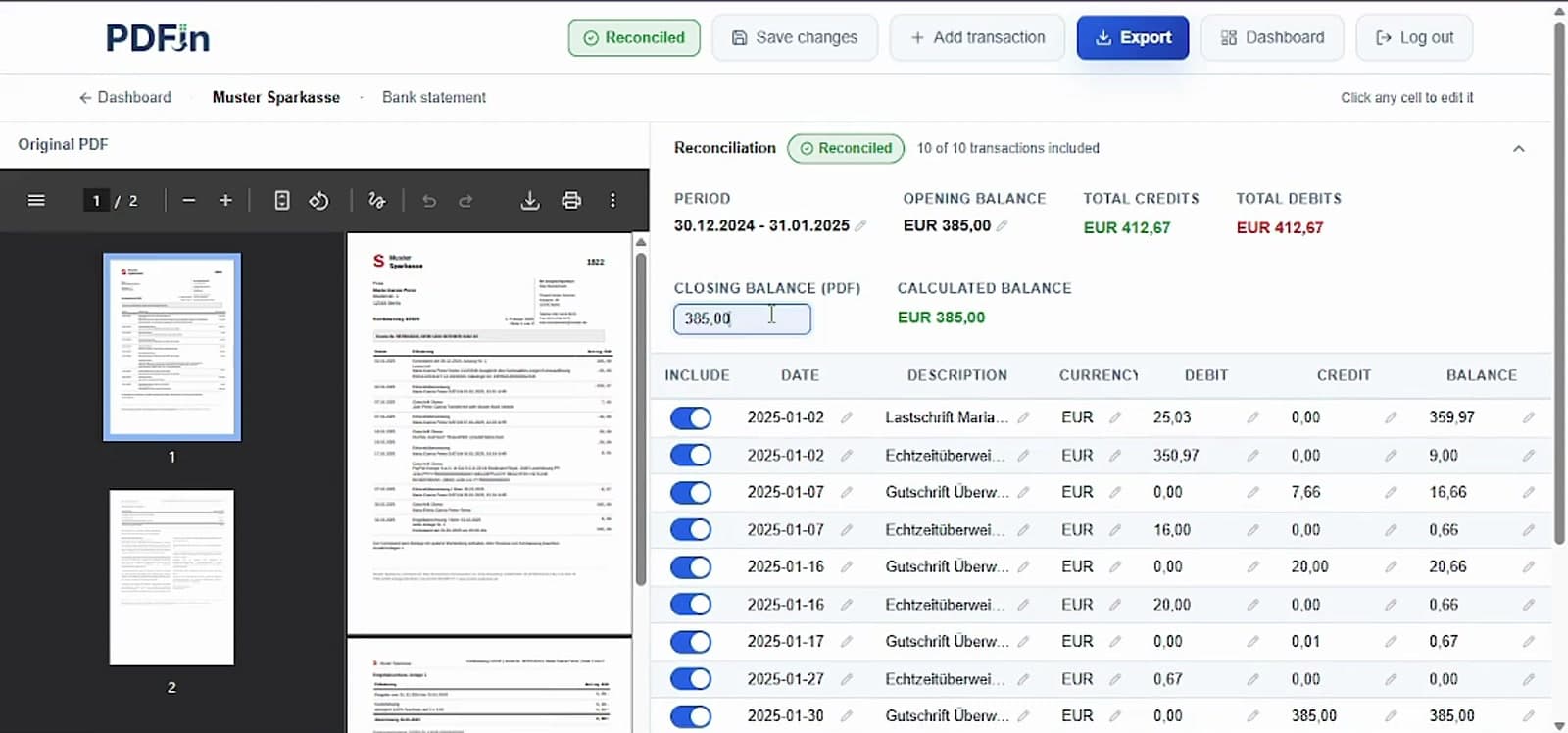
The workspace keeps the original PDF beside the extracted transaction table, so each row can be checked and edited.
PDFin compares opening balance, total credits, total debits, and calculated balance against the PDF closing balance.
Use the export dialog to download the reviewed bank statement as Excel or CSV.
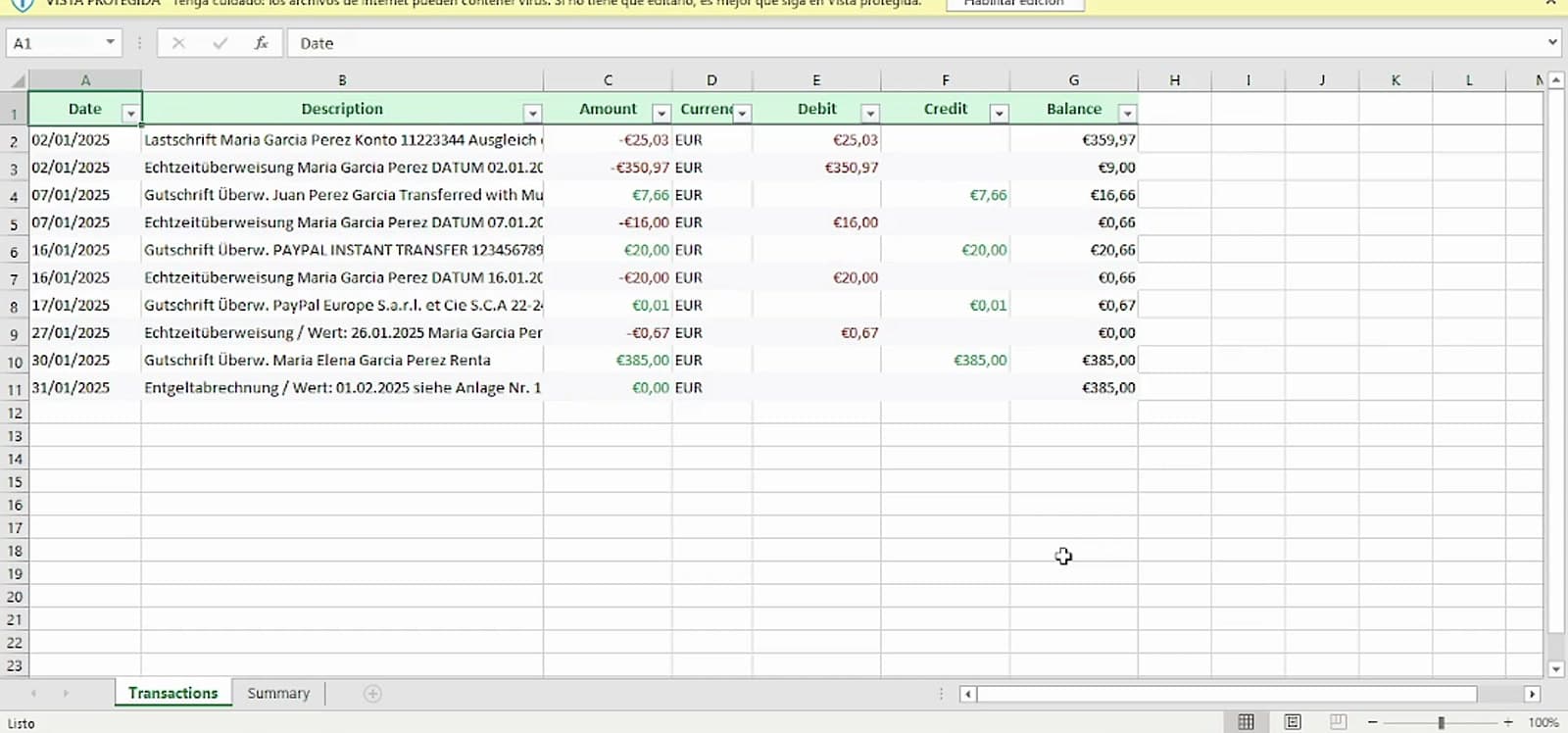
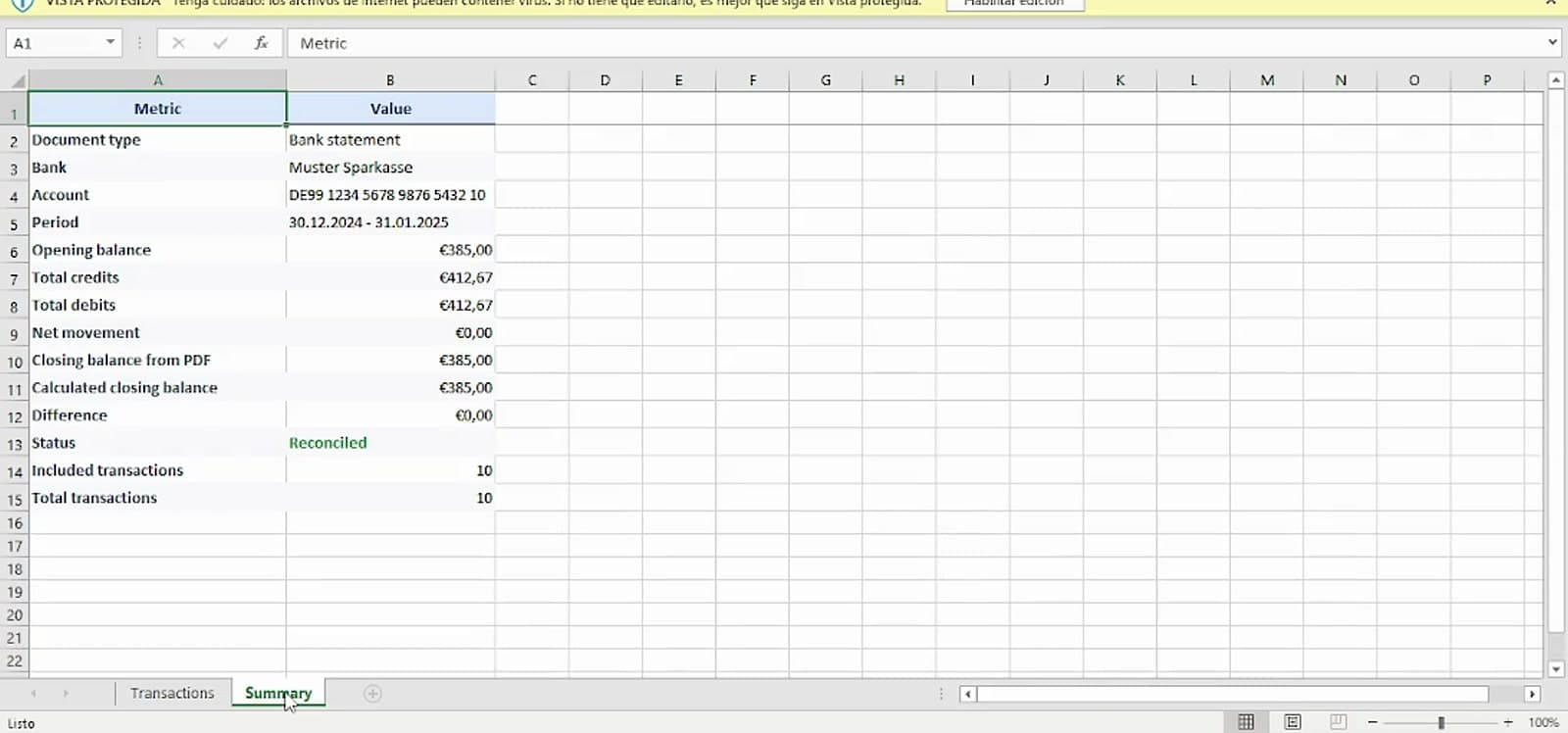
The Excel export includes a clean Transactions sheet plus a Summary sheet with balances, totals, reconciliation status, and included transaction count.
What PDFin exports
PDFin creates a structured workbook with a Transactions sheet and a Summary sheet for balance review.
Date
Description
Amount
Currency
Debit
Credit
Balance
Summary sheet
For bank statements, PDFin writes the reconciliation into a separate Summary sheet so the exported workbook keeps the transaction table clean.
Why it helps
Use PDFin when you need structured transaction data without manual typing, copy-paste cleanup, or rebuilding a table from a PDF.
Transactions sheet with clean columns
Summary sheet with opening balance, credits, debits, and closing balance
Editable transaction review before export
No manual copy and paste from the PDF
FAQ
A quick look at what this format includes and when to use it.
Yes. For bank statements, PDFin compares opening balance plus credits minus debits against the closing balance detected in the PDF.
Yes. You can review extracted rows, edit cells, add a missing transaction, or exclude rows before downloading the file.
The workbook includes a Transactions sheet and a Summary sheet. The Summary sheet is not included in CSV exports.
Start with free credits and export your first bank statement to Excel.
Start free